

 ×
× Plan your build ↗
ICON Vehicle Dynamics / at Hurrey’s Performance
Find your
next level.
The commute. The trail. The miles that make the build worth it. Put together your ICON suspension with the right parts—and a real shop behind you.
More than a lift height
Make every
upgrade count.
A complete system. A focused improvement. A replacement part. Start with what your vehicle needs, then choose the components that work together.
 01 / Complete suspension
Build the
whole system.
Understand staged kits, included parts and the supporting upgrades.
Make sense of the stages → 02 / Damping technology
Control
the ride.
Fixed tuning, manual adjustment or adaptive electronic damping.
Know the differences → 03 / Supporting components
The details
make the build.
Control arms, springs and hardware—not just the shocks.
Explore control arms →Live catalog / powered by Convermax
Your vehicle.
Your next level.
Choose your exact vehicle to filter ICON listings here. Or browse the full brand range—including components and accessories without vehicle mappings.
Browse-all listings are not verified vehicle matches. Confirm factory suspension package, engine, drivetrain, lift range and supporting components before ordering.
ICON parts.
Loading the Convermax catalog…
Prices and availability are confirmed on each product page. Online availability does not mean stock at the Hurrey’s shop. Vehicle filtering does not replace product-specific application and installation checks.
The number is only the beginning
Choose the system.
Not just the stage.
Stage numbers are specific to a vehicle and product generation. A Stage 3 for one platform is not a universal recipe for another. Compare the actual parts list for your application.
Where does
it spend its time?
Daily driving, trail weekends or a loaded touring build? Tell us about the terrain, permanent cargo, bumpers, winch and current suspension.
What controls
the movement?
Compare front and rear shocks, body size, reservoir design and adjustment features. Check position, lengths and the specified lift range.
What’s actually
in the box?
Look for included arms, springs, links, mounting hardware and control electronics. Identify required parts that are sold separately.
Make the
whole setup work.
Review wheel clearance, alignment, factory electronics and supporting modifications. Lift height alone does not establish compatibility.
No one-size-fits-all stage chart. The exact kit’s application notes and contents are the final check.
Know what you’re paying for
Less alphabet.
More understanding.
Reservoir design and damping adjustment are different features. Know what the part actually includes before choosing a system.
Start with the hardware
IR or RR?
Check the reservoir.
IR means internal reservoir. RR means remote reservoir. A remote reservoir adds oil volume and cooling surface for sustained use. Neither abbreviation, by itself, means the shock has an external adjustment knob or electronic control.
Explore coilovers →CDCV.
An external dial with ten compression-damping settings on equipped shocks. A hands-on way to change firmness for the way you use the vehicle.
Explore CDCV listings →CDXS.
Separate high- and low-speed compression controls. “Speed” here refers to shock movement—not the speedometer. Availability is application-specific.
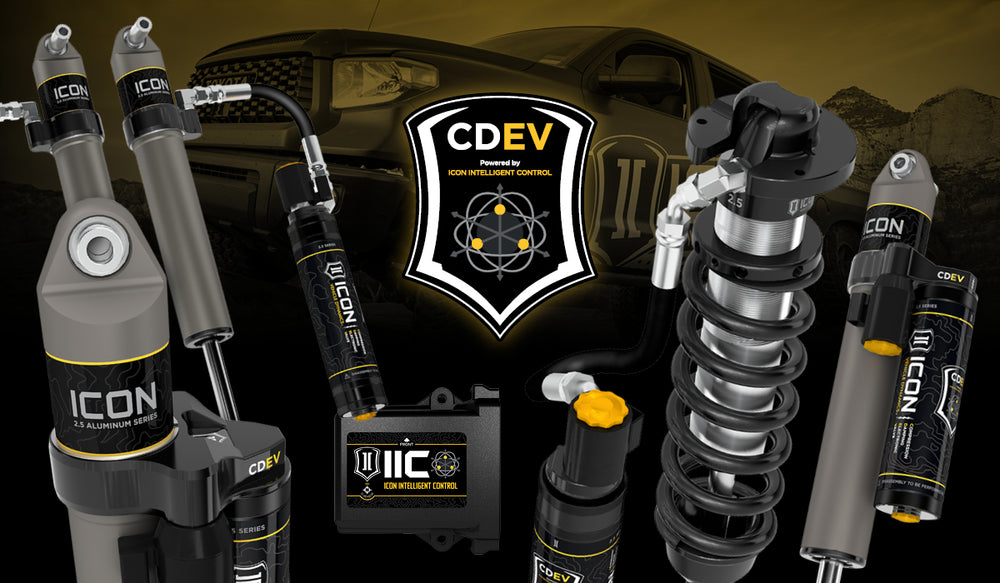
Read ICON’s technology guide ↗CDEV + IIC.
Electronically controlled valves paired with ICON Intelligent Control. The system uses vehicle-motion inputs to adjust compression damping while driving.
Explore CDEV listings →Technology overview: ICON CDEV / CDXS ↗ · ICON’s system guide ↗. Confirm compatible electronics, mounting hardware and included components on the exact product.
Official ICON film
See the control.
Understand the ride.
A closer look at ICON’s Compression Damping Electronic Valve and Intelligent Control. Watch the manufacturer’s introduction, then explore the parts for your application.
 ▶ Watch the ICON film
Video loads only when you press play. Manufacturer details ↗ · Watch on YouTube ↗
Hamilton, New Jersey / parts + installation
Build it with
Hurrey’s.
Tell us what you drive, what’s already installed and where you want to take it. We’ll help review the ICON system, supporting parts and installation requirements.
609-249-4921 ↗Before you order
The right details.
A better decision.
Does a higher stage always mean the same upgrade?
No. Stage contents vary by vehicle and product generation. Compare the actual shocks, arms, springs and accessories included in the systems for your application.
Does my Bronco's factory suspension package matter?
Yes. Confirm the factory package and the exact fitment notes before ordering. A product for one Bronco configuration may not suit another.
Can I add ICON parts to my existing lift?
Possibly, but lift height alone is not enough. Check lengths, mounts, travel and compatibility with the components already installed. Share those details with the shop if you need help.
Why does some hardware disappear when I select a vehicle?
Vehicle-filtered mode only shows indexed vehicle-specific records. Some service parts and accessories have no vehicle mapping. Use “Explore all ICON” to see them, then verify the exact part number and application. An empty result is not proof that ICON has no option for your vehicle.
What about wheels and tire clearance?
A suspension kit does not guarantee clearance for any tire and wheel combination. Check the kit’s wheel-width, offset, backspacing and tire-size notes, plus brake and body clearance. Visit our wheel guide or ask Hurrey’s to review the complete setup.
Explore the wheel guide →