


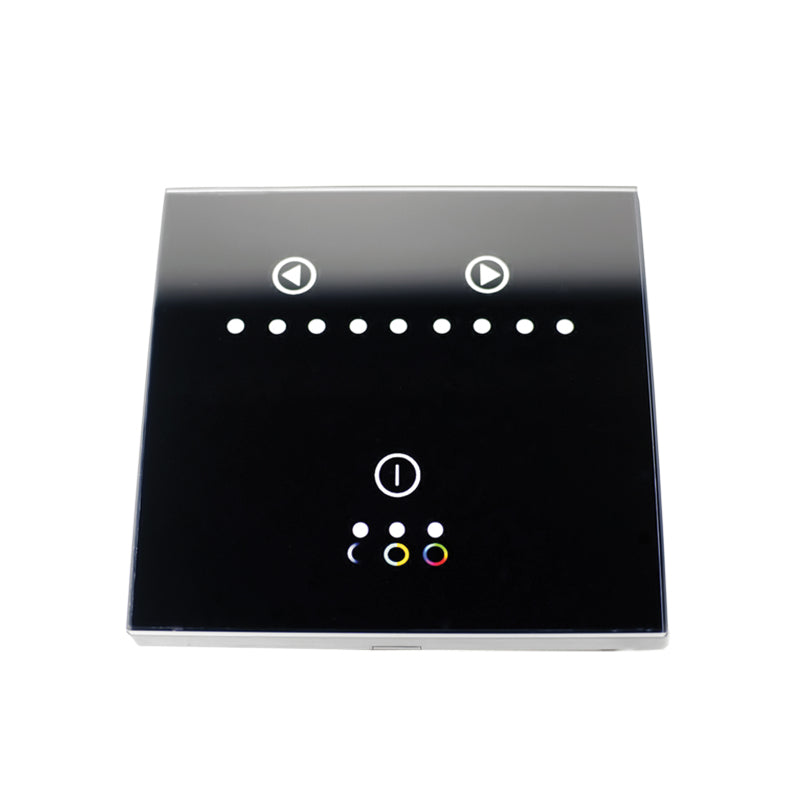
Oracle Smart Touch RGB Dimmer
Manufacturer part number: 9053-504
Notify me when back in stock
Loading stock alert form…
The stock alert form could not load. Contact the shop at 609-249-4921.
Shipping and applicable taxes are calculated at checkout.
Need it by a certain date? Call 609-249-4921 before ordering. Online availability does not confirm stock at our Hamilton shop; please call ahead for pickup or installation.
Select or change your vehicle here before checkout. You stay on this product while Hurrey’s keeps the fitment context.
View compatible vehicles
The ORACLE Touch Panel RGB DImmer is a newly developed high-end controller. It adopts a glass panel design, giving it a modern, sleek appearance. It has a high precision touch control chip, that increases touch sensitivity and reduces mistaken triggers. These control panels are specially used for controlling a variety of LED Lighting. For example like RGB Flex LED Lighting Strips, wall washer lights, panel lights, etc. Easy to connect, easy to use features such as jump changing, gradual changing, strobe, flash as well as other modes. Description: The Power Button: 1)A short press turns the controller on/off at any state. 2) A long press cycles between 3 different modes (shown by indicators). Indicator 1: Indicates that RGB mode is selected. Indicator 2: Indicates that color temperature mode is selected. Indicator 3: Indicates that dimmer mode is selected. The Left Arrow Button: is used to increase parameters (settings). The Right Arrow Button: is used to reduced parameters (settings). Function Instruction RGB Mode: A short press of the Left Arrow Button increases the mode within the RGB Function. A long press of the Left Arrow Button increases the brightness or speed. A short press of the Right Arrow Button reduces the mode. A long press of the Right Arrow Button reduces the brightness or speed. Mode Changes table: NOTE: This table shows the outputs while testing on an ORACLE 2.0 RGB Flex strip. Functions may be different when using other types of RGB strips.
- High precision chip to reduce mistaken triggers